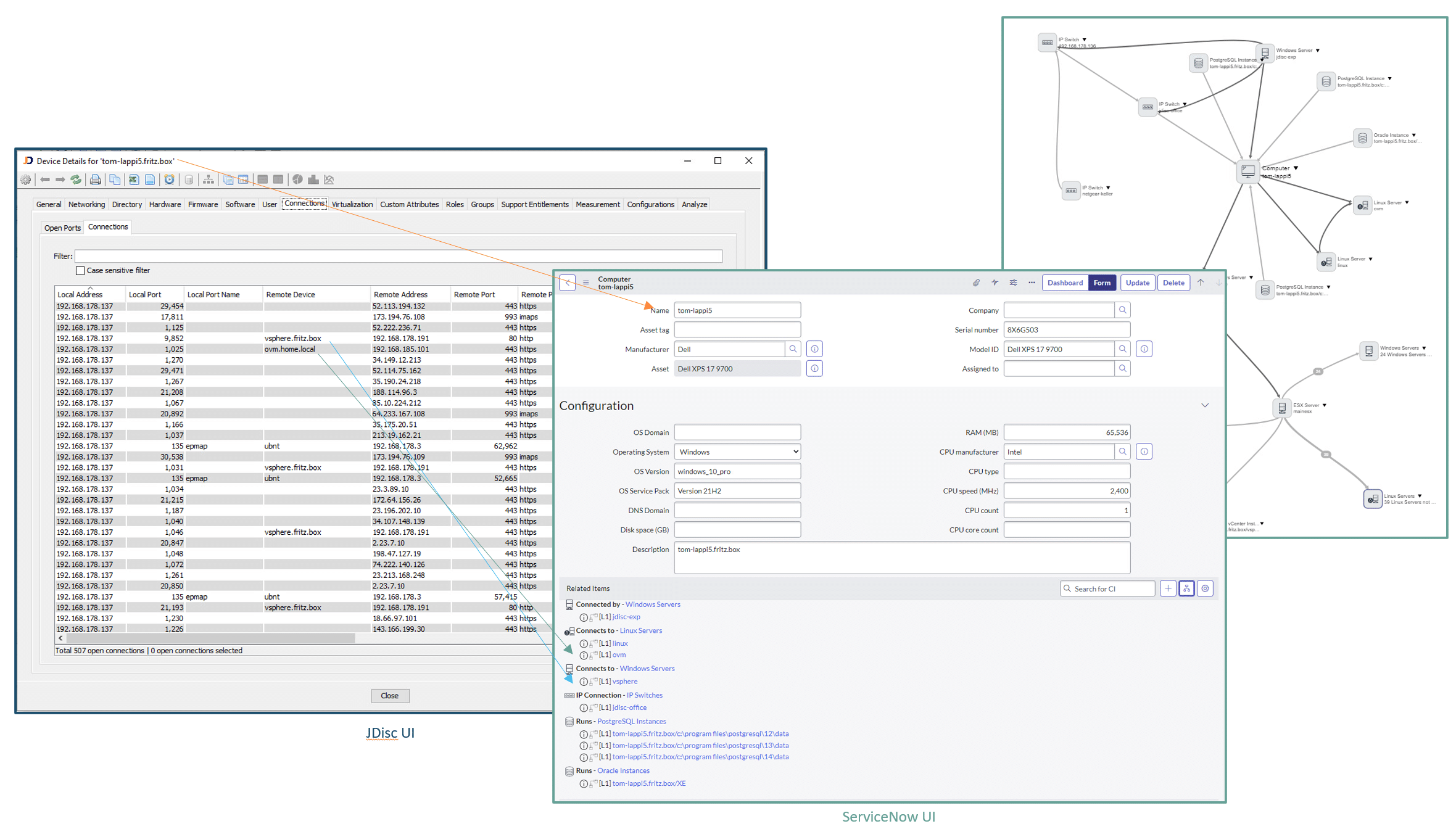


JDisc Discovery identifies the physical network topology by detecting which devices are connected to specific switch ports. Understanding these physical connections is essential for gaining insight into how IT components are interconnected and how they collectively contribute to the delivery of IT services.
JDisc Discovery as a Network Discovery for ServiceNow
The ServiceNow Configuration Management Database (CMDB) is a centralized system that stores detailed information about an organization’s IT assets – known as configuration items (CIs) – and their relationships. It serves as the foundation for effective IT service management by providing visibility into infrastructure components like servers, applications, and network devices. JDisc Discovery is an IP network scanner that can be used as a network discovery for ServiceNow!
However, the CMDB is only as valuable as the accuracy of its data. That’s why discovery is essential. Through automated scanning of the network, discovery tools identify assets, gather real-time configuration data, and update the CMDB continuously. This ensures that IT teams work with reliable, up-to-date information – reducing downtime, improving service quality, and supporting informed decision-making.
The JDisc Discovery to ServiceNow integration provides an easy way to keep your CMDB data up-to-date without the need to purchase a costly ITOM license.
JDisc Discovery for ServiceNow Integration Architecture
The integration between JDisc Discovery and ServiceNow enables seamless and automated population of configuration data into a customer’s ServiceNow CMDB—ensuring up-to-date and accurate IT asset information.
Here’s how the process works, step by step:
-
JDisc Discovery
One or more JDisc Discovery instances are deployed on-premises to scan the local network. These instances collect detailed information about devices, systems, applications, and network configurations, storing all data locally in their respective databases. -
JDisc Integration Module
The JDisc Integration Module provides for the scheduling of automatic synchronization of the devices discovered by JDisc into the ServiceNow CMDB. Jobs can be customized to only include the device types and related records you want to synchronize into the CMDB. - ServiceNow CMDB
After processing, the data is directly pushed into the customer’s ServiceNow instance, updating the CMDB with accurate, correlated, and normalized configuration items.
This architecture ensures a secure, efficient, and scalable integration – combining the deep network visibility of JDisc Discovery with data normalization and CMDB alignment capabilities.
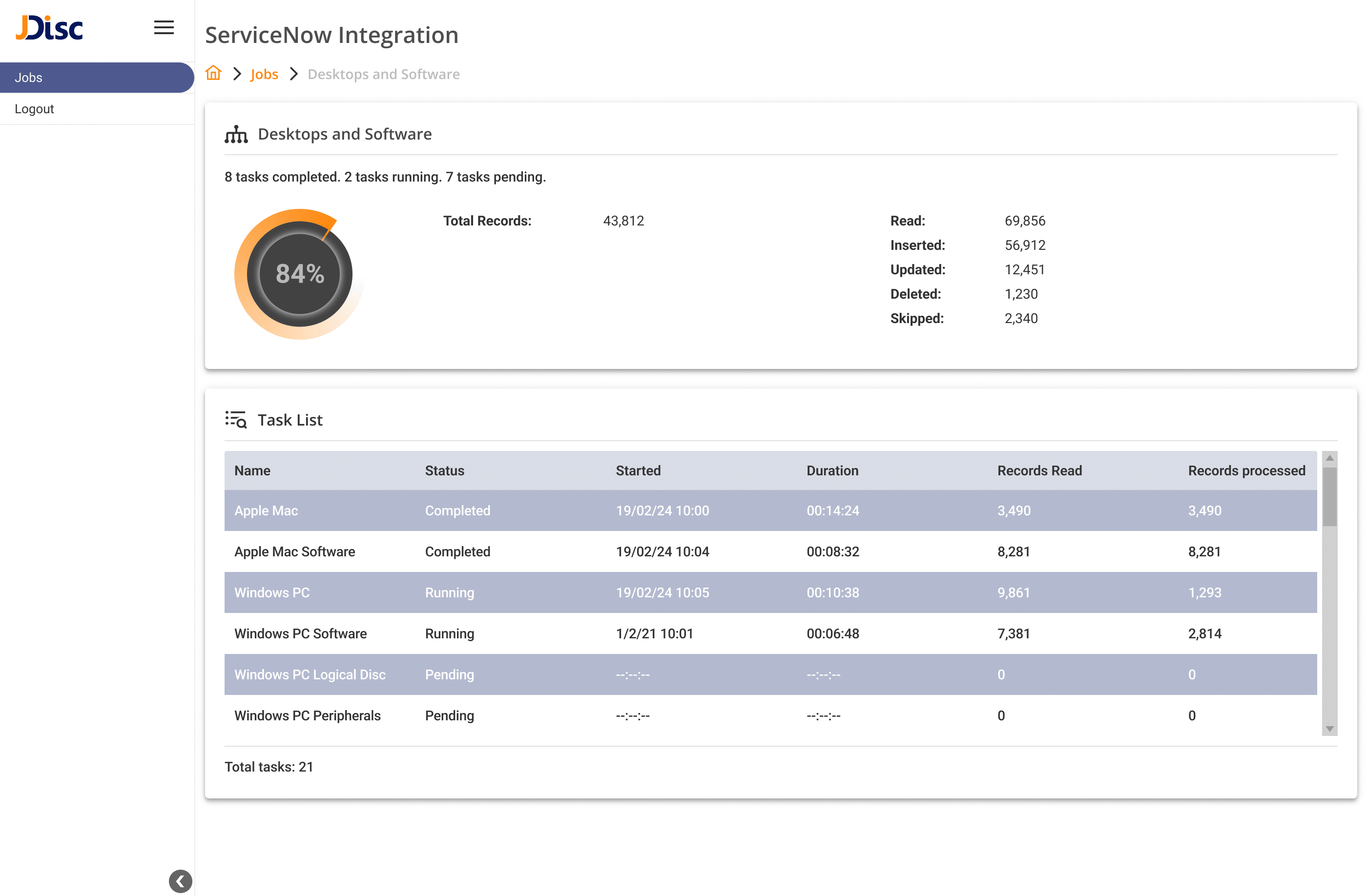
JDisc Discovery to ServiceNow Import Status
The ServiceNow import status page lists all import tasks together with some statistics about
- The device types being synchronized
- The count of records being synchronized for each device type
- The start time and duration for each device type
Imported Asset Information from JDisc Discovery into ServiceNow
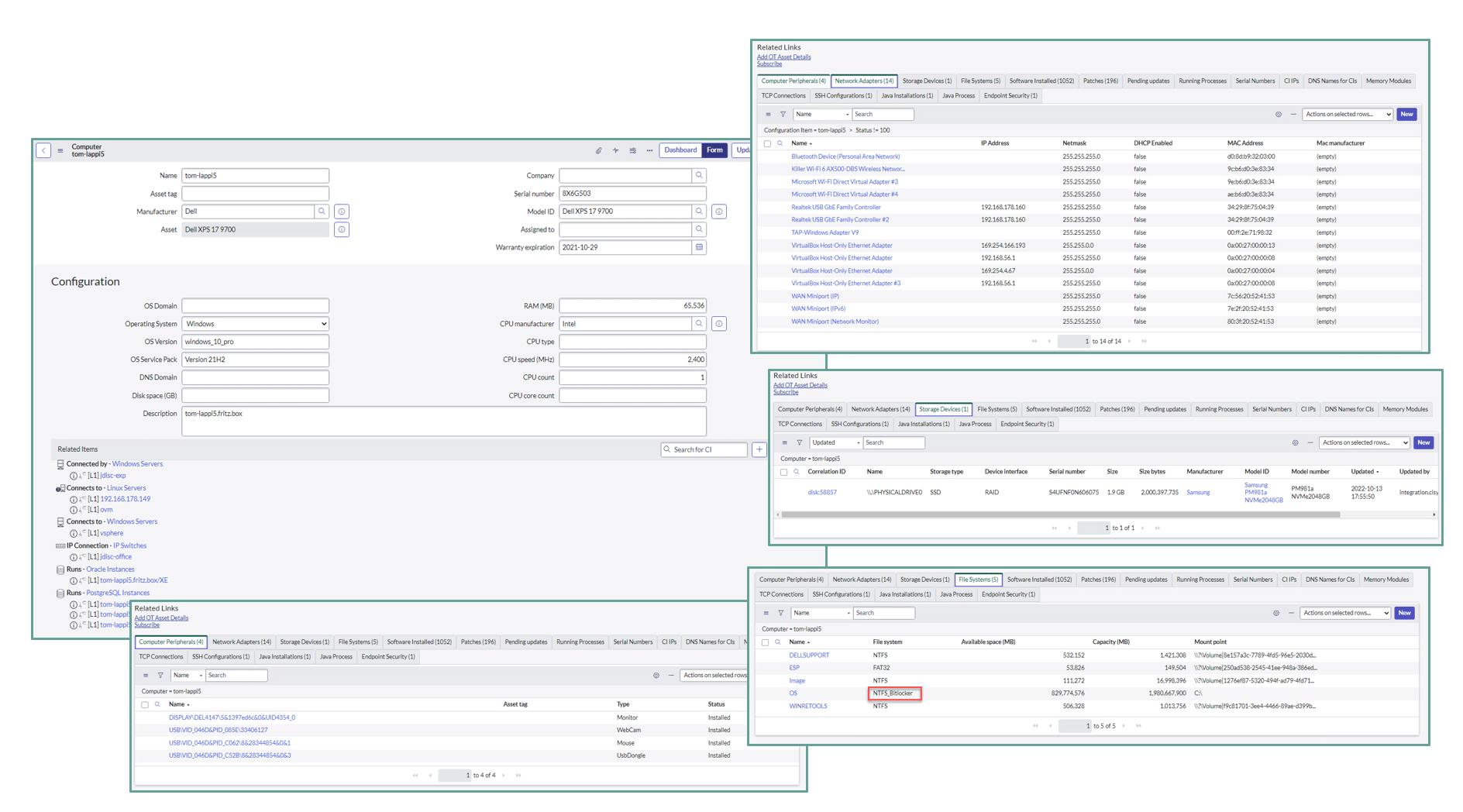
The image on the right shows how asset information imported from JDisc Discovery for ServiceNow looks like.
Besides the actual assets, we also synchronize the hardware, configuration, installed software and patch information. By adding some custom tables to the ServiceNow CMDB, you can also synchronize SSH configurations, Java installations and processes as well as the Endpoint security configuration for your compute devices.
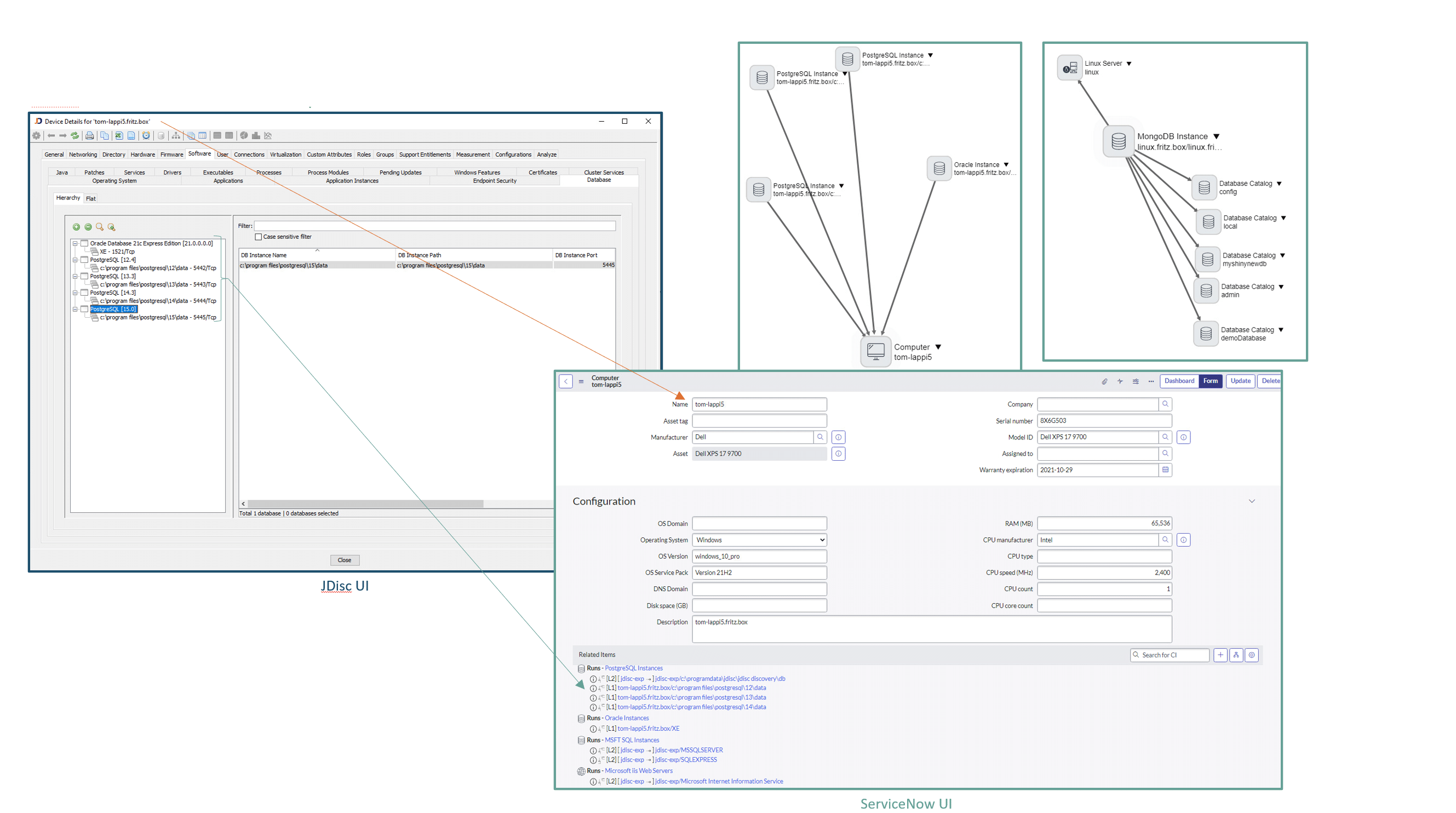
Importing Database Instances into ServiceNow
JDisc Discovery detects database instances for all major databases. The image on the left shows how the database instances get mapped in ServiceNow and how the data is looking like in user interface after a ServiceNow import.
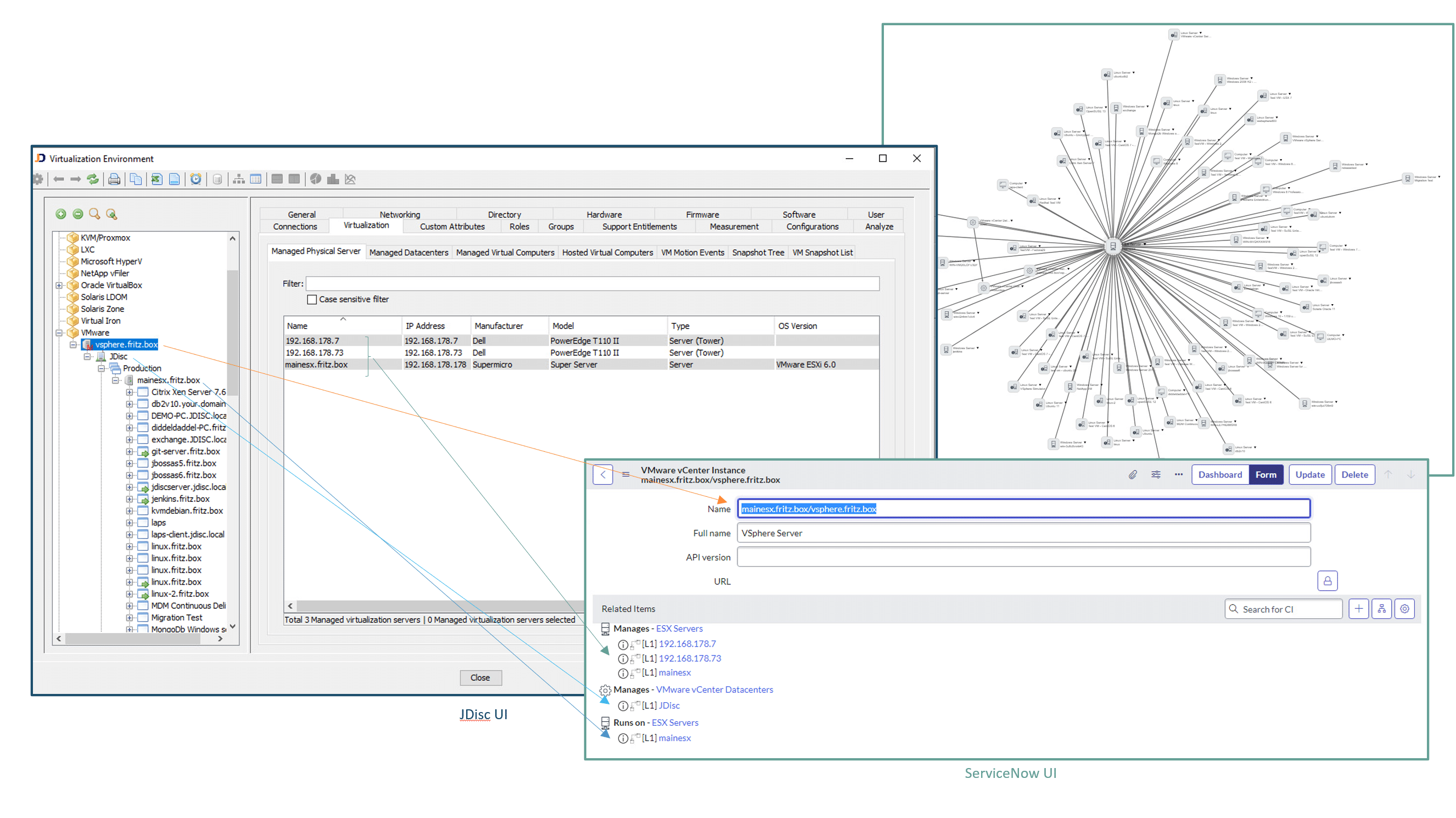
Import Virtualization Information from JDisc Discovery into ServiceNow
JDisc Discovery gathers in-depth data about virtualization environments, including the connections between physical hosts, virtual machines (VMs), clusters, and virtual datacenters. These relationships can be seamlessly imported into ServiceNow, ensuring a comprehensive and accurate representation of the virtual infrastructure within the CMDB.
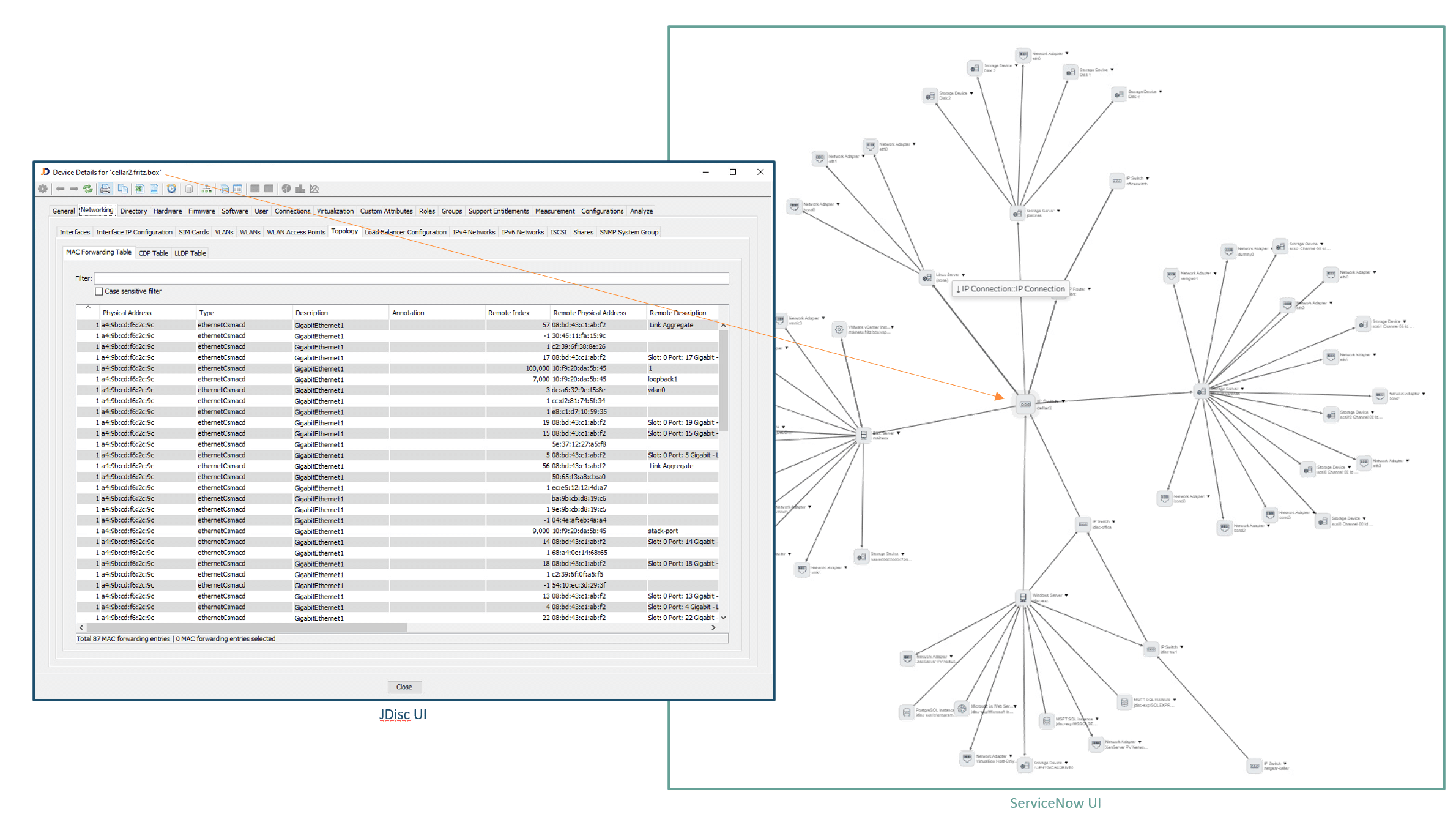
Getting Network Topology Relationships into ServiceNow
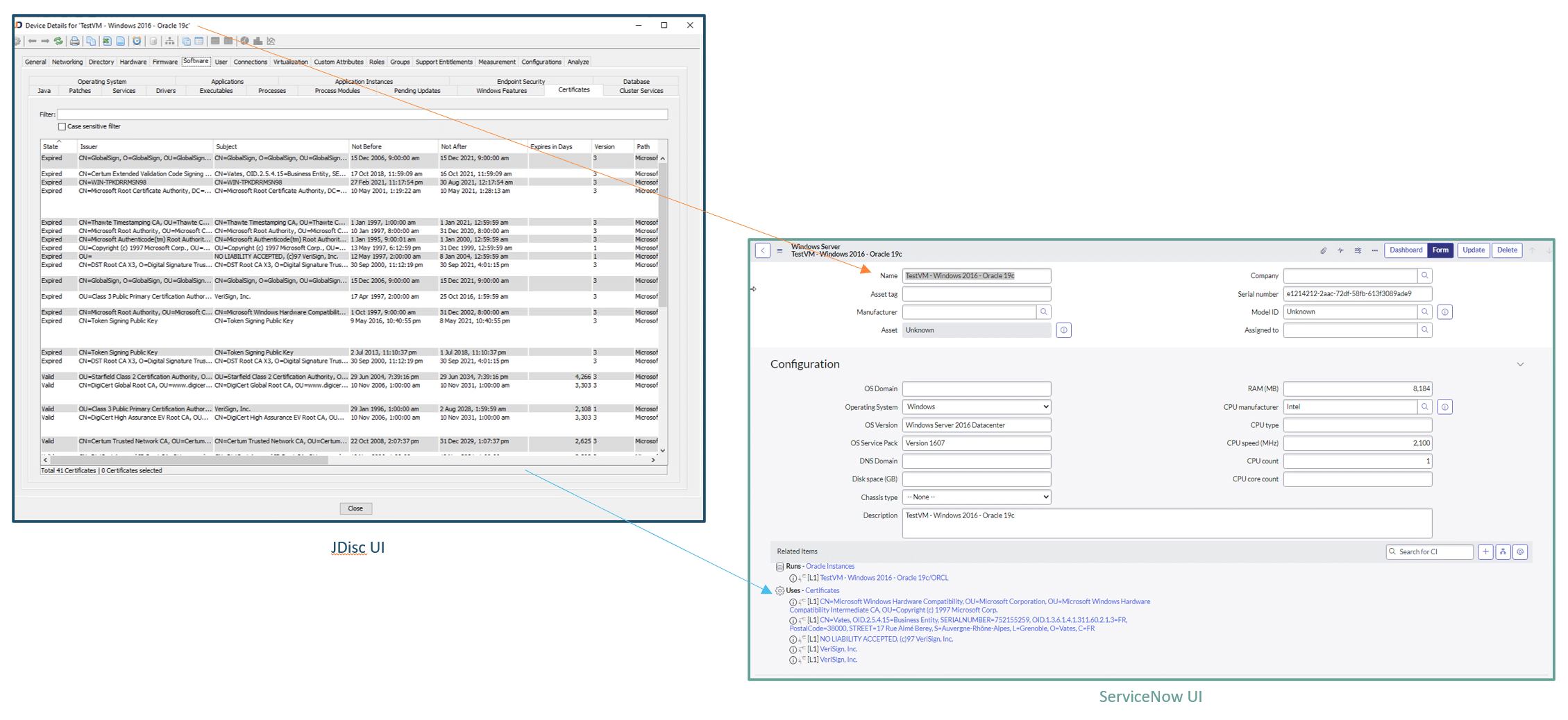
Certificates
JDisc Discovery gathers detailed information about installed and deployed certificates together with their expiration date. This information is essential for keeping services up and running. Expired certificates cause connection issues and interrupted services.